Software · Free beta
Kaaos
A desktop app for playing generative visuals live — coaxing structure out of chaos. Load FFGL plugins and TouchDesigner components, layer them, drive them from music, MIDI and the network, and map the result onto the venue.
The instrument
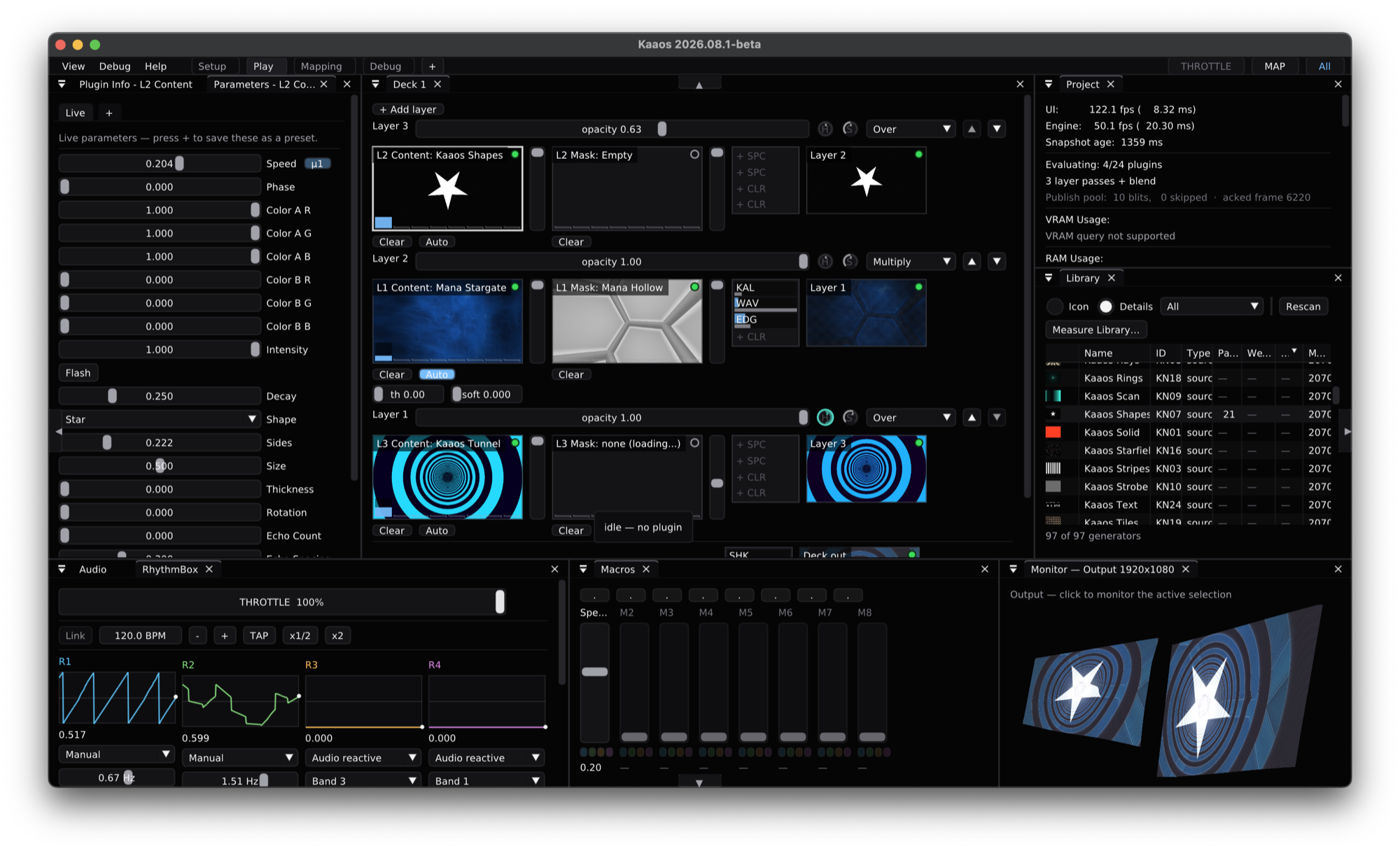
What it does
Kaaos is Finnish for chaos. It is built for the stage: every control can be driven by something, nothing a mistake can do stops the show, and the whole interface can be hidden while the output keeps running.
- Generators — FFGL plugins and TouchDesigner
.toxcomponents side by side, plus 24 native Kaaos sources. Browse them in the Library, click to load, and a rebuilt plugin hot-reloads in place. - Decks & layers — up to eight decks of up to sixteen layers, each a content and mask pair with its own blend mode, opacity and crossfaded generator switches.
- FX racks — four slots on every layer and on the master: kaleido, mirror, pixelate, edge, posterize, chroma shift, feedback trails and more.
- Motion — the RhythmBox, a step sequencer, per-control modulators, a tap-tempo clock and four-band audio reactivity. One Main Throttle sets the energy of the whole show.
- Control — MIDI, OSC and Art-Net, with click-and-touch learn and motorized fader feedback.
- Mapping & output — slice the decks and warp them onto the venue, across up to eight outputs: windows on any display, or Syphon and Spout into other apps.
- Workspaces — Setup, Play, Mapping and your own layouts, one click away on a tab strip.
And Kippura, a black cat who eases the show down when the music goes quiet.
In the beta
A portable zip — no installer. Unzip it anywhere and run it. Your work is kept in your user folder, so a later beta picks up where this one left off.
- The app, with its 24 native sources.
- Seven FFGL plugins — Mana Lens, Displace, Stargate, Idol, Orbit and Hollow, plus Test Pattern. These builds are locked to Kaaos; in other hosts they show a "Kaaos" frame instead.
- 49 TouchDesigner components. They need a licensed TouchDesigner install on the same machine. Kaaos runs fine without one.
Before you start:
- macOS — the app is not signed yet, so launch it from a terminal
(
./kaaos) or allow it under System Settings ▸ Privacy & Security. - Windows — when SmartScreen warns you, choose More info ▸ Run anyway. Kaaos needs the Visual C++ Redistributable (x64).
- You need a GPU with OpenGL 4.1 or newer. Anything that runs Resolume will do.
- Ableton Link is turned off in this build. The built-in tempo clock works as normal.
Beta software: expect rough edges. Bug reports and ideas are welcome — see Contact, and include the version (Help ▸ About Kaaos).